iFi Audio SilentPower LAN iPurifier Pro Ethernet Noise Filter
iFi SilentPower LAN iPurifier Pro - Ethernet Filter with Optical Isolation
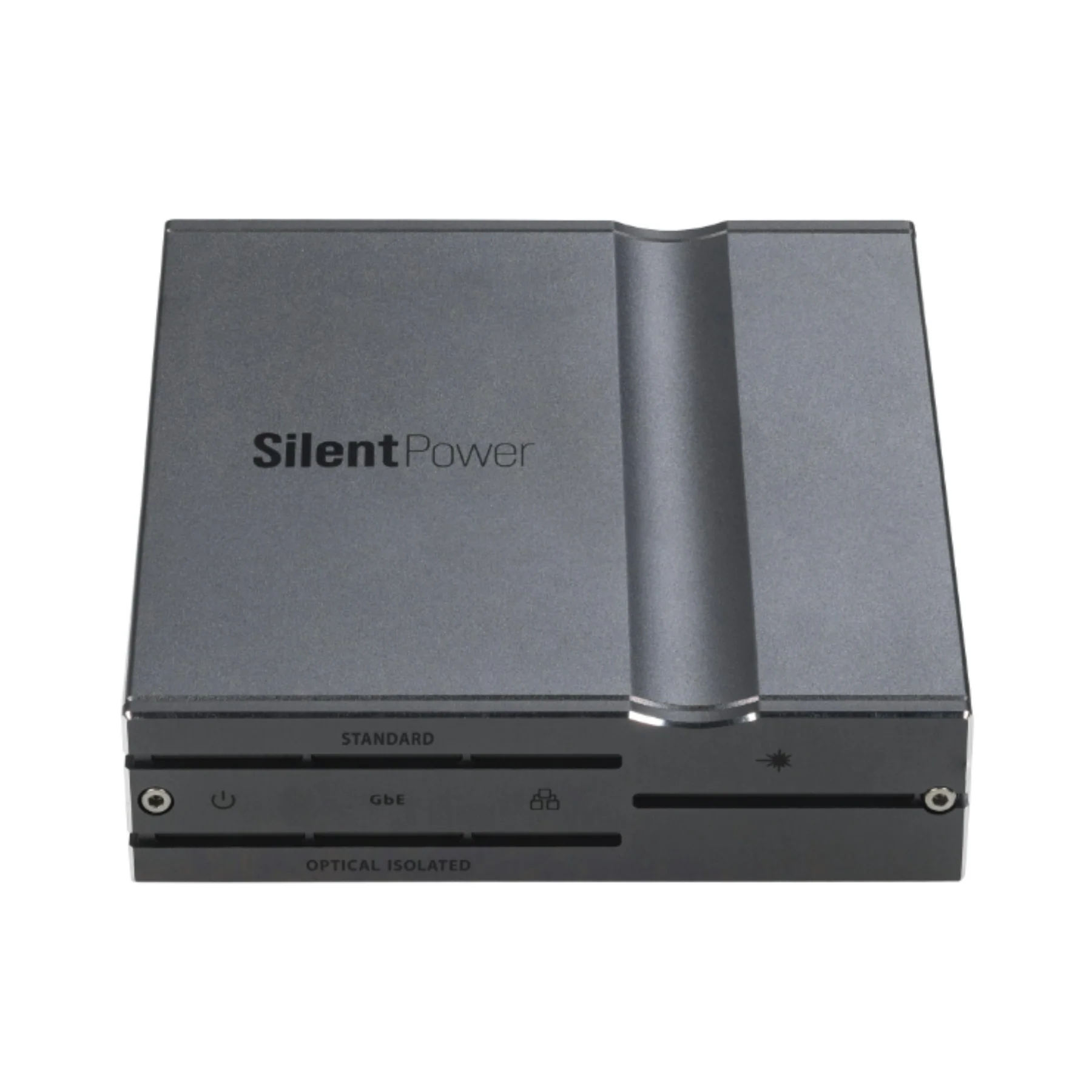
The SilentPower LAN iPurifier Pro is a high-performance Ethernet noise filter with optical galvanic isolation designed to help networked audio and video gear perform at its best. By converting the incoming Ethernet signal to light and back again, it breaks the electrical pathway between your router/switch and your streamer, DAC, media PC, or 4K media box—blocking network-borne noise, stray voltages, and interference that can ride along standard copper Ethernet connections.
Beyond isolation, the LAN iPurifier Pro actively improves signal integrity with signal regeneration plus advanced processing such as adaptive equalisation, error correction, and crosstalk cancellation to support cleaner data transfer and more stable performance. The result is a quieter, more refined presentation for streaming systems and a more reliable connection for demanding home, office, and pro AV installs.
What It's Good At:
- Optical galvanic isolation to stop noise and interference from passing into sensitive AV gear
- Lower jitter and reduced system noise for cleaner, more natural network audio playback
- Signal regeneration for improved timing accuracy and data-stream stability
- Gigabit-ready performance (up to 1000 Mbps) for modern streaming, media servers, and 4K devices
- Real-time diagnostic LEDs for power, link, optical status, and connection speeds (with adjustable brightness)
- Simple plug-and-play integration between your router/switch and your network device
iFi LAN iPurifier Pro Full Specifications:
- Product name: SilentPower LAN iPurifier Pro – Ethernet Filter with Optical Isolation
- SKU: 03-06-068-0001-00
- Ethernet standard: IEEE 802.3x (supports 1000BASE-T)
- Speed supported: 1000 Mbps / 100 Mbps / 10 Mbps
-
Ports / I/O:
- Standard Ethernet port: RJ45
- Optical isolated Ethernet port: RJ45
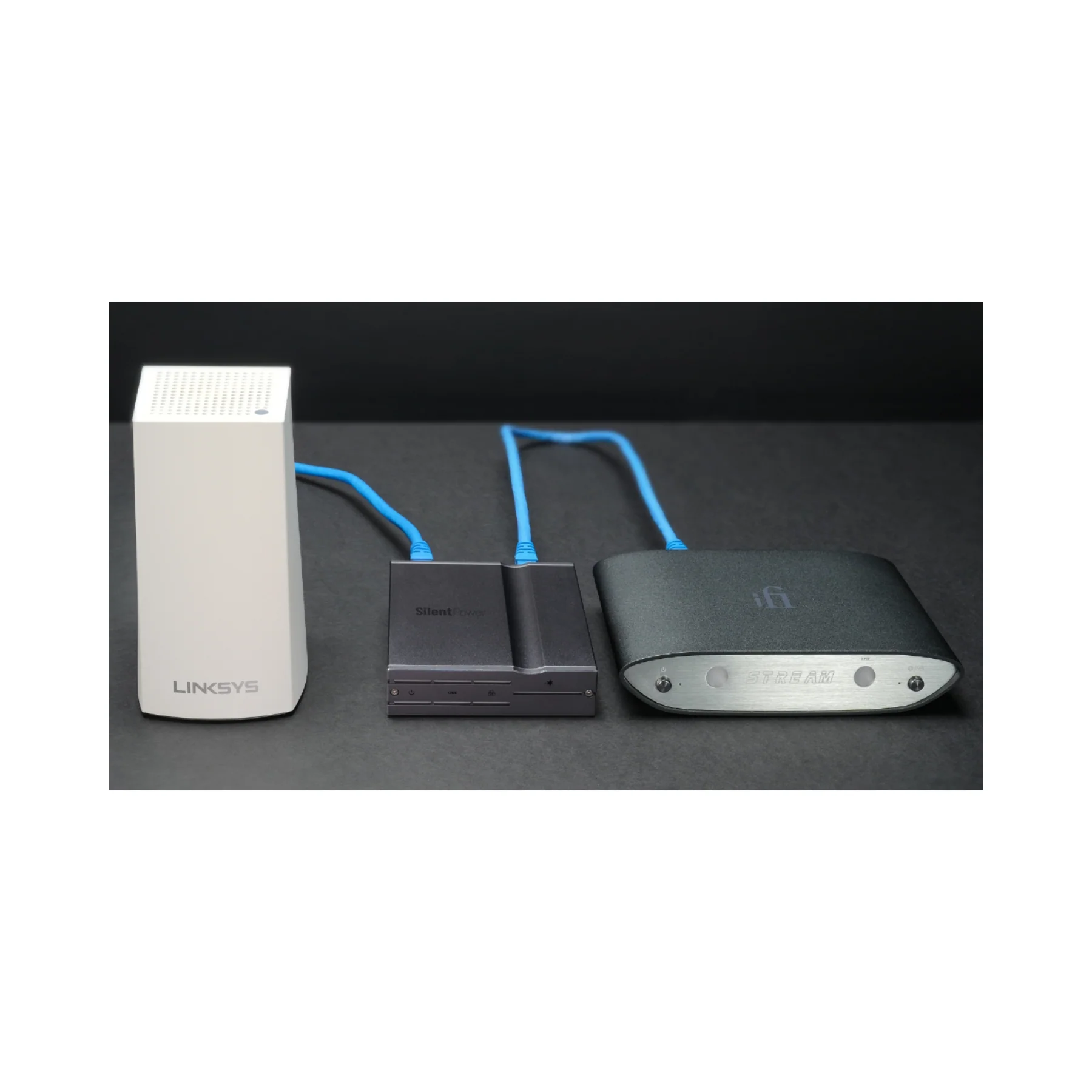
- Recommended placement: Between network router/switch and network device (place close to the network device)
- Isolation voltage: 5 kV RMS
- Signal processing / performance features: optical galvanic isolation, jitter reduction, signal regeneration, adaptive equalisation, error correction, crosstalk cancellation
- Power input: USB-C, 5V DC / 1A
- Power consumption: 3.7 W
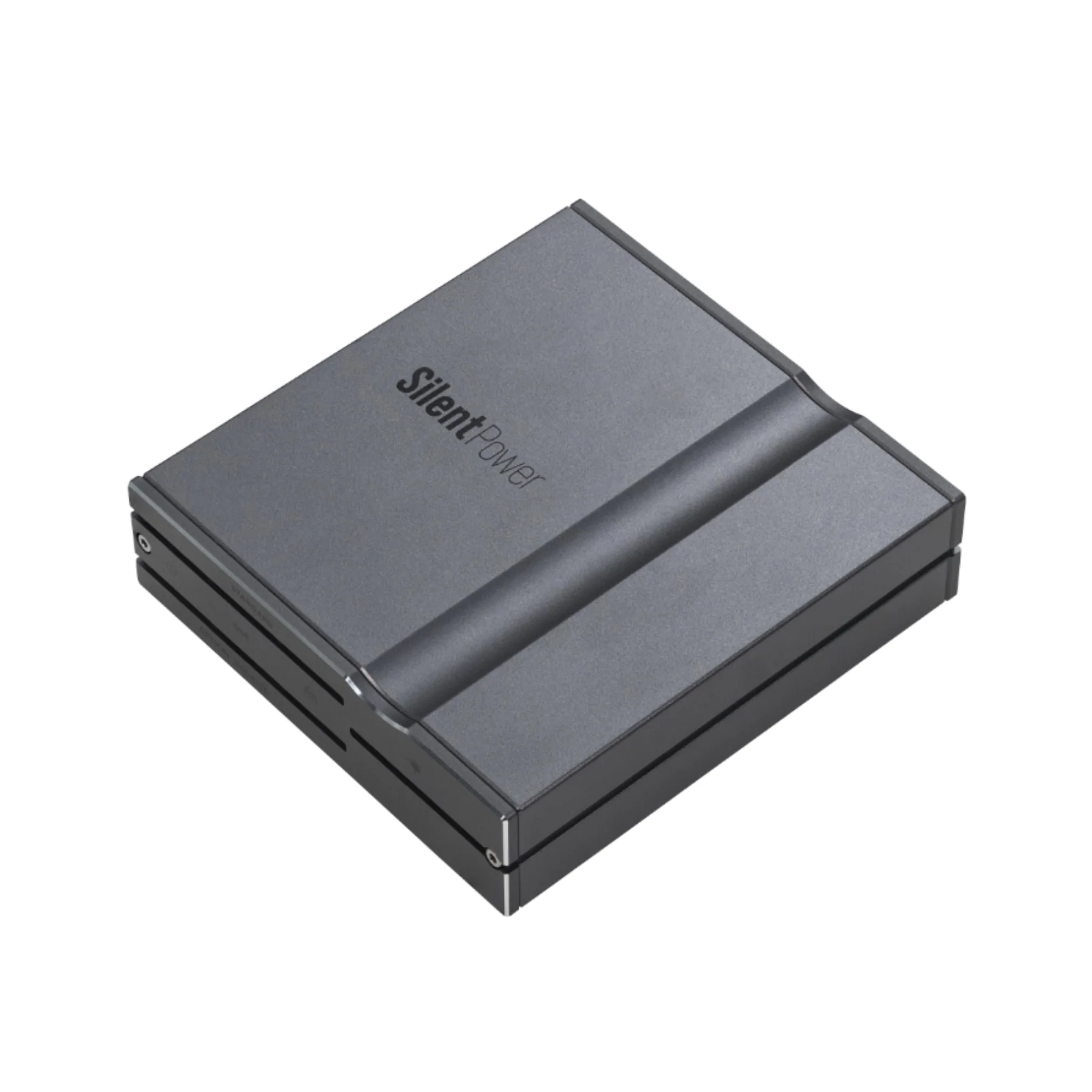
- Dimensions: 99 x 92.8 x 24.2 mm (3.9" x 3.7" x ~1.0")
- Net weight: 241 g (0.53 lbs / 8.05 oz)
- Front-panel indicators: diagnostic LEDs for power, connection status, data activity, and data speeds (input/output)
- LED brightness control: button cycles High / Low / Off
- Devices supported (examples): general-purpose devices, notebook/PC, switch, router, wireless device, 4K media boxes, media streaming PCs, network streamers, DACs
-
Included in the box:
- 1 × LAN iPurifier Pro
- 1 × Ethernet cable (0.5 m)
- 1 × USB-A to USB-C cable (1.2 m)
- 1 × USB power adapter (5V)
- 1 × Quick Start Card
- 1 × Instruction Card
- Limited warranty: 12 months
- Note: Product image colour may vary due to lighting; refer to the product for accuracy
iFi LAN iPurifier Pro Q&A:
- Q: What does the LAN iPurifier Pro actually do?
- A: It reduces Ethernet-borne noise by converting the network signal to optical (light) and back, electrically isolating your network device from noise and interference coming from the router or switch.
- Q: Where should I install it in my network chain?
- A: Connect it between your router/switch and the device you want to protect (streamer, DAC network bridge, media PC, 4K box). For best results, place it as close to the target device as possible.
- Q: Will it slow down my network speed?
- A: No—it's designed to support 1000/100/10 Mbps operation, so it’s compatible with Gigabit Ethernet and typical home/office networks.
- Q: Does it work with any Ethernet device or only audio gear?
- A: It’s compatible with a wide range of Ethernet-based devices, including routers, switches, general-purpose computers, streamers, and 4K media devices.
- Q: Does it need external power to work?
- A: Yes. It is powered via USB-C and requires a 5V / 1A supply. A USB power adapter is included.
- Q: What are the LEDs telling me on the front panel?
- A: The LEDs provide real-time status for power, link/activity, and speed states for both the standard and optical-isolated sides, plus optical connection status.
- Q: Can I turn off or dim the LED lights?
- A: Yes. Use the brightness button to cycle through High, Low, and Off modes.
- Q: Is this mainly for music streaming, or does it help video too?
- A: It can benefit both. By reducing noise and improving link stability, it can help demanding streaming setups used for high-quality audio and 4K media playback.
iFi LAN iPurifier Pro Downloads:
iFi SilentPower LAN iPurifier Pro User Manual
Original: $299.00
-65%$299.00
$104.65More Images




iFi Audio SilentPower LAN iPurifier Pro Ethernet Noise Filter
iFi SilentPower LAN iPurifier Pro - Ethernet Filter with Optical Isolation
The SilentPower LAN iPurifier Pro is a high-performance Ethernet noise filter with optical galvanic isolation designed to help networked audio and video gear perform at its best. By converting the incoming Ethernet signal to light and back again, it breaks the electrical pathway between your router/switch and your streamer, DAC, media PC, or 4K media box—blocking network-borne noise, stray voltages, and interference that can ride along standard copper Ethernet connections.
Beyond isolation, the LAN iPurifier Pro actively improves signal integrity with signal regeneration plus advanced processing such as adaptive equalisation, error correction, and crosstalk cancellation to support cleaner data transfer and more stable performance. The result is a quieter, more refined presentation for streaming systems and a more reliable connection for demanding home, office, and pro AV installs.
What It's Good At:
- Optical galvanic isolation to stop noise and interference from passing into sensitive AV gear
- Lower jitter and reduced system noise for cleaner, more natural network audio playback
- Signal regeneration for improved timing accuracy and data-stream stability
- Gigabit-ready performance (up to 1000 Mbps) for modern streaming, media servers, and 4K devices
- Real-time diagnostic LEDs for power, link, optical status, and connection speeds (with adjustable brightness)
- Simple plug-and-play integration between your router/switch and your network device
iFi LAN iPurifier Pro Full Specifications:
- Product name: SilentPower LAN iPurifier Pro – Ethernet Filter with Optical Isolation
- SKU: 03-06-068-0001-00
- Ethernet standard: IEEE 802.3x (supports 1000BASE-T)
- Speed supported: 1000 Mbps / 100 Mbps / 10 Mbps
-
Ports / I/O:
- Standard Ethernet port: RJ45
- Optical isolated Ethernet port: RJ45
- Recommended placement: Between network router/switch and network device (place close to the network device)
- Isolation voltage: 5 kV RMS
- Signal processing / performance features: optical galvanic isolation, jitter reduction, signal regeneration, adaptive equalisation, error correction, crosstalk cancellation
- Power input: USB-C, 5V DC / 1A
- Power consumption: 3.7 W
- Dimensions: 99 x 92.8 x 24.2 mm (3.9" x 3.7" x ~1.0")
- Net weight: 241 g (0.53 lbs / 8.05 oz)
- Front-panel indicators: diagnostic LEDs for power, connection status, data activity, and data speeds (input/output)
- LED brightness control: button cycles High / Low / Off
- Devices supported (examples): general-purpose devices, notebook/PC, switch, router, wireless device, 4K media boxes, media streaming PCs, network streamers, DACs
-
Included in the box:
- 1 × LAN iPurifier Pro
- 1 × Ethernet cable (0.5 m)
- 1 × USB-A to USB-C cable (1.2 m)
- 1 × USB power adapter (5V)
- 1 × Quick Start Card
- 1 × Instruction Card
- Limited warranty: 12 months
- Note: Product image colour may vary due to lighting; refer to the product for accuracy
iFi LAN iPurifier Pro Q&A:
- Q: What does the LAN iPurifier Pro actually do?
- A: It reduces Ethernet-borne noise by converting the network signal to optical (light) and back, electrically isolating your network device from noise and interference coming from the router or switch.
- Q: Where should I install it in my network chain?
- A: Connect it between your router/switch and the device you want to protect (streamer, DAC network bridge, media PC, 4K box). For best results, place it as close to the target device as possible.
- Q: Will it slow down my network speed?
- A: No—it's designed to support 1000/100/10 Mbps operation, so it’s compatible with Gigabit Ethernet and typical home/office networks.
- Q: Does it work with any Ethernet device or only audio gear?
- A: It’s compatible with a wide range of Ethernet-based devices, including routers, switches, general-purpose computers, streamers, and 4K media devices.
- Q: Does it need external power to work?
- A: Yes. It is powered via USB-C and requires a 5V / 1A supply. A USB power adapter is included.
- Q: What are the LEDs telling me on the front panel?
- A: The LEDs provide real-time status for power, link/activity, and speed states for both the standard and optical-isolated sides, plus optical connection status.
- Q: Can I turn off or dim the LED lights?
- A: Yes. Use the brightness button to cycle through High, Low, and Off modes.
- Q: Is this mainly for music streaming, or does it help video too?
- A: It can benefit both. By reducing noise and improving link stability, it can help demanding streaming setups used for high-quality audio and 4K media playback.
iFi LAN iPurifier Pro Downloads:
iFi SilentPower LAN iPurifier Pro User Manual
Product Information
Product Information
Shipping & Returns
Shipping & Returns
Description
iFi SilentPower LAN iPurifier Pro - Ethernet Filter with Optical Isolation
The SilentPower LAN iPurifier Pro is a high-performance Ethernet noise filter with optical galvanic isolation designed to help networked audio and video gear perform at its best. By converting the incoming Ethernet signal to light and back again, it breaks the electrical pathway between your router/switch and your streamer, DAC, media PC, or 4K media box—blocking network-borne noise, stray voltages, and interference that can ride along standard copper Ethernet connections.
Beyond isolation, the LAN iPurifier Pro actively improves signal integrity with signal regeneration plus advanced processing such as adaptive equalisation, error correction, and crosstalk cancellation to support cleaner data transfer and more stable performance. The result is a quieter, more refined presentation for streaming systems and a more reliable connection for demanding home, office, and pro AV installs.
What It's Good At:
- Optical galvanic isolation to stop noise and interference from passing into sensitive AV gear
- Lower jitter and reduced system noise for cleaner, more natural network audio playback
- Signal regeneration for improved timing accuracy and data-stream stability
- Gigabit-ready performance (up to 1000 Mbps) for modern streaming, media servers, and 4K devices
- Real-time diagnostic LEDs for power, link, optical status, and connection speeds (with adjustable brightness)
- Simple plug-and-play integration between your router/switch and your network device
iFi LAN iPurifier Pro Full Specifications:
- Product name: SilentPower LAN iPurifier Pro – Ethernet Filter with Optical Isolation
- SKU: 03-06-068-0001-00
- Ethernet standard: IEEE 802.3x (supports 1000BASE-T)
- Speed supported: 1000 Mbps / 100 Mbps / 10 Mbps
-
Ports / I/O:
- Standard Ethernet port: RJ45
- Optical isolated Ethernet port: RJ45
- Recommended placement: Between network router/switch and network device (place close to the network device)
- Isolation voltage: 5 kV RMS
- Signal processing / performance features: optical galvanic isolation, jitter reduction, signal regeneration, adaptive equalisation, error correction, crosstalk cancellation
- Power input: USB-C, 5V DC / 1A
- Power consumption: 3.7 W
- Dimensions: 99 x 92.8 x 24.2 mm (3.9" x 3.7" x ~1.0")
- Net weight: 241 g (0.53 lbs / 8.05 oz)
- Front-panel indicators: diagnostic LEDs for power, connection status, data activity, and data speeds (input/output)
- LED brightness control: button cycles High / Low / Off
- Devices supported (examples): general-purpose devices, notebook/PC, switch, router, wireless device, 4K media boxes, media streaming PCs, network streamers, DACs
-
Included in the box:
- 1 × LAN iPurifier Pro
- 1 × Ethernet cable (0.5 m)
- 1 × USB-A to USB-C cable (1.2 m)
- 1 × USB power adapter (5V)
- 1 × Quick Start Card
- 1 × Instruction Card
- Limited warranty: 12 months
- Note: Product image colour may vary due to lighting; refer to the product for accuracy
iFi LAN iPurifier Pro Q&A:
- Q: What does the LAN iPurifier Pro actually do?
- A: It reduces Ethernet-borne noise by converting the network signal to optical (light) and back, electrically isolating your network device from noise and interference coming from the router or switch.
- Q: Where should I install it in my network chain?
- A: Connect it between your router/switch and the device you want to protect (streamer, DAC network bridge, media PC, 4K box). For best results, place it as close to the target device as possible.
- Q: Will it slow down my network speed?
- A: No—it's designed to support 1000/100/10 Mbps operation, so it’s compatible with Gigabit Ethernet and typical home/office networks.
- Q: Does it work with any Ethernet device or only audio gear?
- A: It’s compatible with a wide range of Ethernet-based devices, including routers, switches, general-purpose computers, streamers, and 4K media devices.
- Q: Does it need external power to work?
- A: Yes. It is powered via USB-C and requires a 5V / 1A supply. A USB power adapter is included.
- Q: What are the LEDs telling me on the front panel?
- A: The LEDs provide real-time status for power, link/activity, and speed states for both the standard and optical-isolated sides, plus optical connection status.
- Q: Can I turn off or dim the LED lights?
- A: Yes. Use the brightness button to cycle through High, Low, and Off modes.
- Q: Is this mainly for music streaming, or does it help video too?
- A: It can benefit both. By reducing noise and improving link stability, it can help demanding streaming setups used for high-quality audio and 4K media playback.
iFi LAN iPurifier Pro Downloads:
iFi SilentPower LAN iPurifier Pro User Manual